Project List
In the project list, we can see a list of all projects we have access to. Those are the projects where we were assigned a project sharing role, projects that are visible to all logged-in users in the project sharing settings, or projects available through our global role permissions. The projects are filtered to those we are explicitly assigned to by default.
We can see project names, a Template label if the project is a template, update badges when a newer knowledge model or document template is available, and an icon indicating sharing settings:
Lock icon - the project can only be accessed by you
People icon - the project is shared with other users, hovering on the icon provides additional information
Globe icon - anyone with a link can access the project
Outdated KM - a newer version of the project’s knowledge model is available
Outdated DT - a newer version of the project’s default document template is available
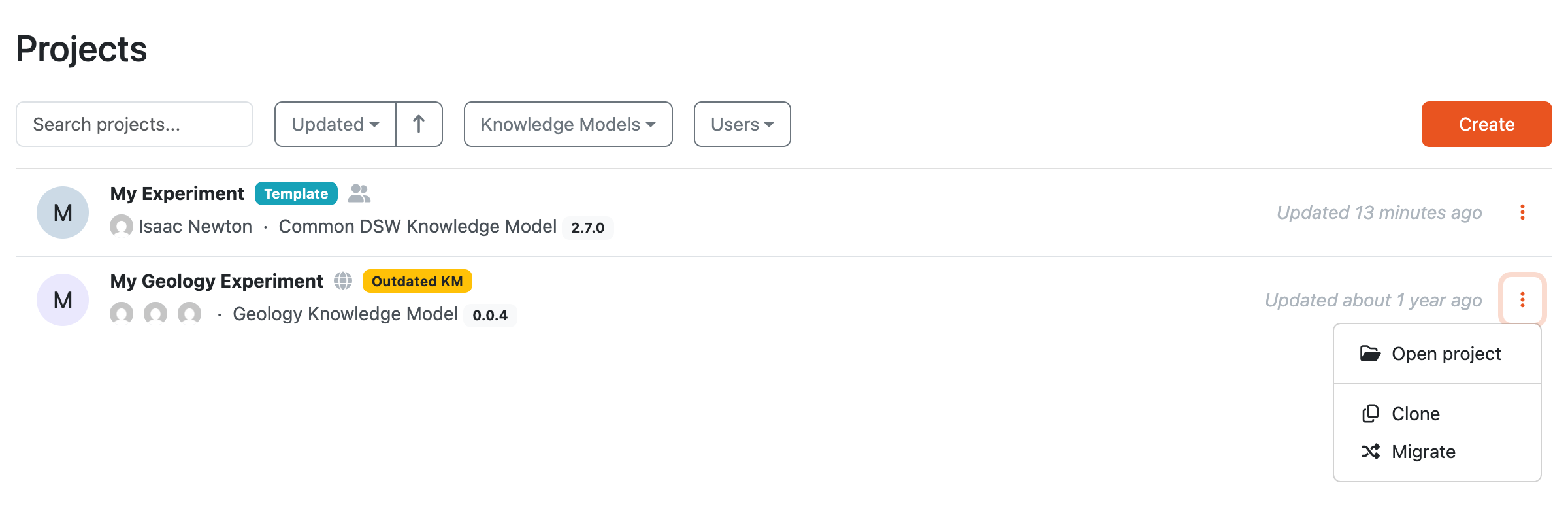
Project list with filters.
We can search for specific projects using the search field or filter them using additional filters:
Project Template - if we want to see only project templates or regular projects
Project Tags - show only the projects that have specific tags assigned
Knowledge Models - show only the projects created from a specific knowledge model
Users - filter only the projects with specific users assigned to them
Note
Note that some of the filters can be disabled based on the DSW instance settings or user permissions.
We can create a new project by clicking the Create button.
By clicking the triple dots on each item in the list, we can access some actions:
Open project - will simply open the project
Create project from this template - will create a new project from the selected project template (this is only available if the project is also a project template)
Clone - will create the exact copy of the project
Migrate - will start a project migration
Delete - will delete the project (this action cannot be undone)