Knowledge Model Editors
Users with permission to use knowledge model editors can see a list of all knowledge model editors.
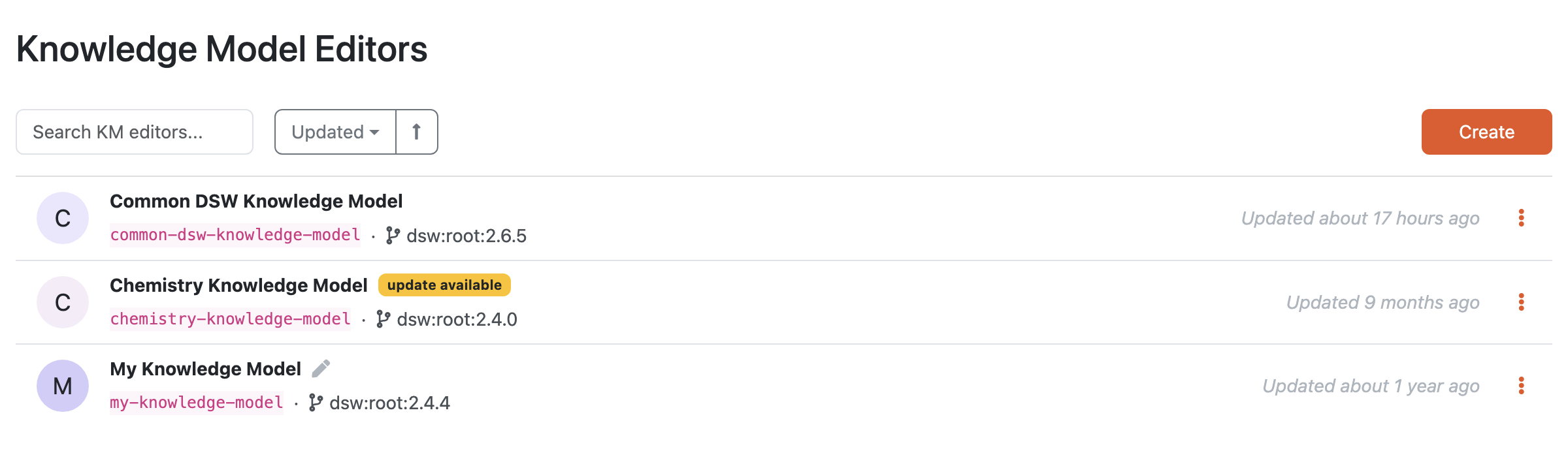
List of knowledge model editors.
We can use the search field to search for a specific KM editor. The editors are sorted by when they were last updated, but we can change that. We can order the list by name, creation date, or last update date. The list shows the name, version, id, whether the editor contains unpublished changes, whether it is a fork of a different KM, and last update.
We can create a new knowledge model editor by clicking the Create button.
By clicking the triple dots on each item in the list, we can access some actions:
Open Editor - simply open the editor detail
Update - if there is a newer version of the parent knowledge model, we can use the update action to start a knowledge model migration, otherwise the action is not visible
Delete - to delete the knowledge model editor (cannot be undone)
If there is an ongoing knowledge model migration, there are different actions:
Continue migration
Cancel migration